
A missed meal can come from something as simple as an empty hopper, but it can also point to a jammed dispensing mechanism, a schedule set to zero portions, a power problem, or a failed motor. The fastest way to find the cause is to test one function at a time instead of resetting everything immediately.
This guide covers hopper-style automatic feeders that dispense dry food. Rotating tray feeders, refrigerated wet-food feeders, and RFID feeders use different mechanisms, so follow the manual for your exact model before removing parts or changing settings.
Start With a Quick Manual-Dispense Test
Before taking the feeder apart, run a manual-feed test. The button name varies by model and may appear as Feed Now, Manual Feed, or a bowl icon. Smart feeders may also offer manual dispensing in their app.
- Confirm that food is available in the hopper.
- Place an empty bowl under the outlet so you can see exactly what comes out.
- Unlock the control panel if the feeder has a child lock or pet lock.
- Request one or more portions using the feeder’s manual control.
- Listen for the motor and watch whether the rotor or conveyor moves.
| What happens | Most useful next check |
|---|---|
| The motor runs, but no food comes out | Check kibble size, bridging, the outlet, rotor, and food-tank assembly. |
| The motor does not run | Check power, batteries, control lock, pause mode, and error indicators. |
| Manual feeding works, but scheduled feeding does not | Check the clock, time zone, AM/PM, schedule status, and scheduled portion. |
| Food comes out, but less than expected | Prime the feeder if required, clean the mechanism, and verify the model’s portion definition. |
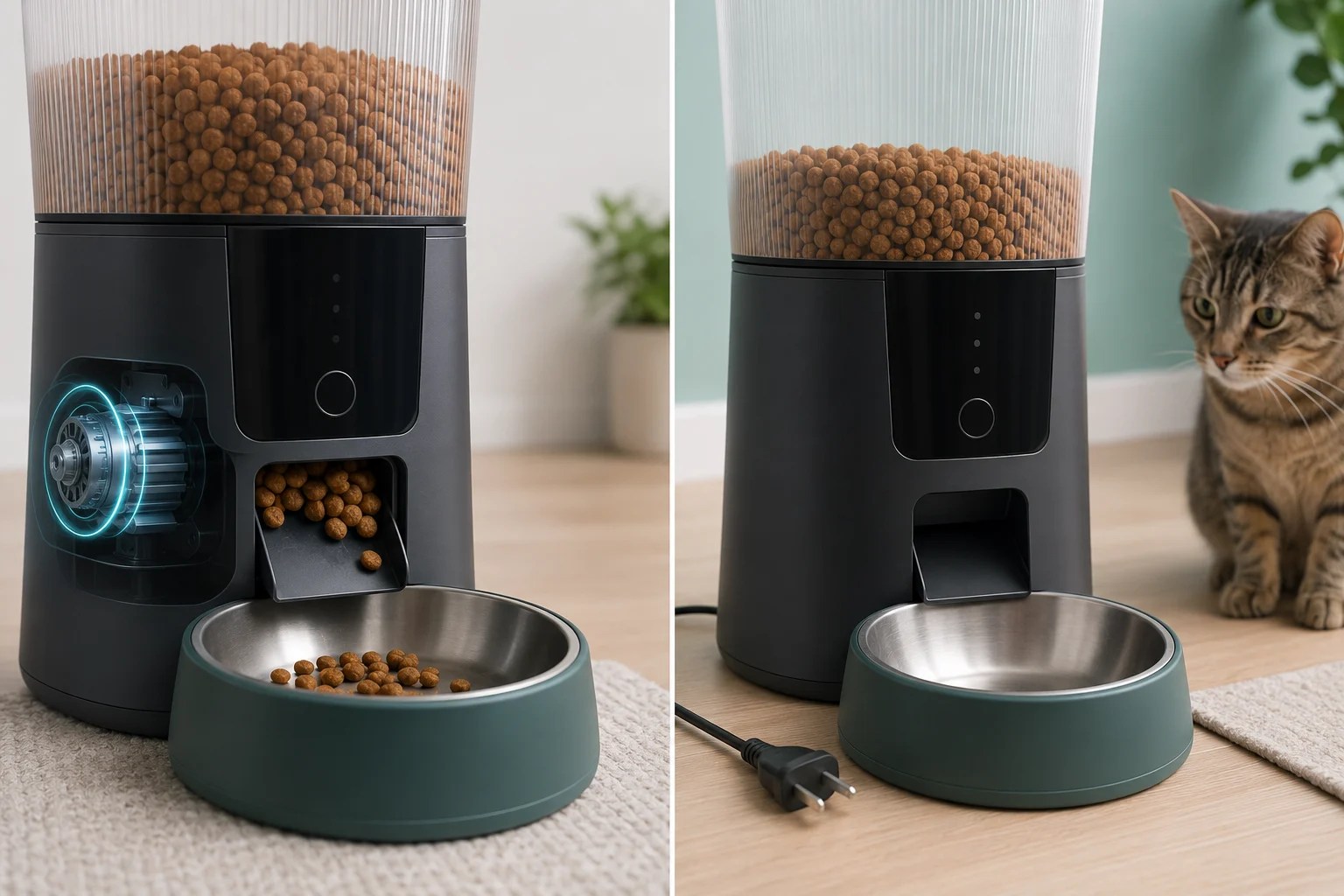
If the feeder makes grinding, clicking, or repeated struggling noises, stop the test. Disconnect its power before inspecting the dispensing mechanism.
If the Motor Runs but No Food Comes Out
1. Check for an empty hopper or food bridging
A hopper can look full even when no food is reaching the rotor. Pieces of kibble may press together and form a bridge above the dispensing opening, leaving an empty space underneath.
Gently inspect the food level from above without placing your hand near a moving mechanism. If the food is oily, irregularly shaped, crushed into dust, or exposed to moisture, empty the hopper and inspect the outlet rather than repeatedly forcing the motor to run.
2. Confirm the kibble matches your exact feeder
There is no universal kibble size that works in every automatic feeder. Current manufacturer support pages specify different ranges: PETLIBRO lists 2–10 mm for its Essential Feeder, 2–15 mm for the Granary models covered by its support page, and 2–18 mm for the Space Smart Feeder. WOPET lists 2–12 mm dry food for its Cube Air model.
Those ranges are examples, not a rule for all feeders. Check the product manual or support page for your exact model number. Oversized pieces may block the outlet, while very small pieces and crumbs can collect around sensors or moving parts. Food type matters too: do not place wet, raw, freeze-dried, or semi-moist food in a feeder unless its manufacturer specifically permits it.
3. Clear the food outlet and rotor
PETLIBRO’s Easy Feed troubleshooting instructions tell owners to empty the tank and clean the rotor, food outlet, and anti-clog detector. Its Granary guidance also says to check whether the silicone rotor is deformed.
- Unplug the feeder and remove its batteries, if installed.
- Remove the food and follow the model-specific disassembly instructions.
- Clear loose kibble and crumbs from the rotor and outlet.
- Wash only the parts the manufacturer identifies as washable.
- Dry every washed part completely before reassembly.
- Reassemble the rotor, cover, tank base, and hopper in the documented orientation.
- Reconnect power and repeat the manual-feed test.
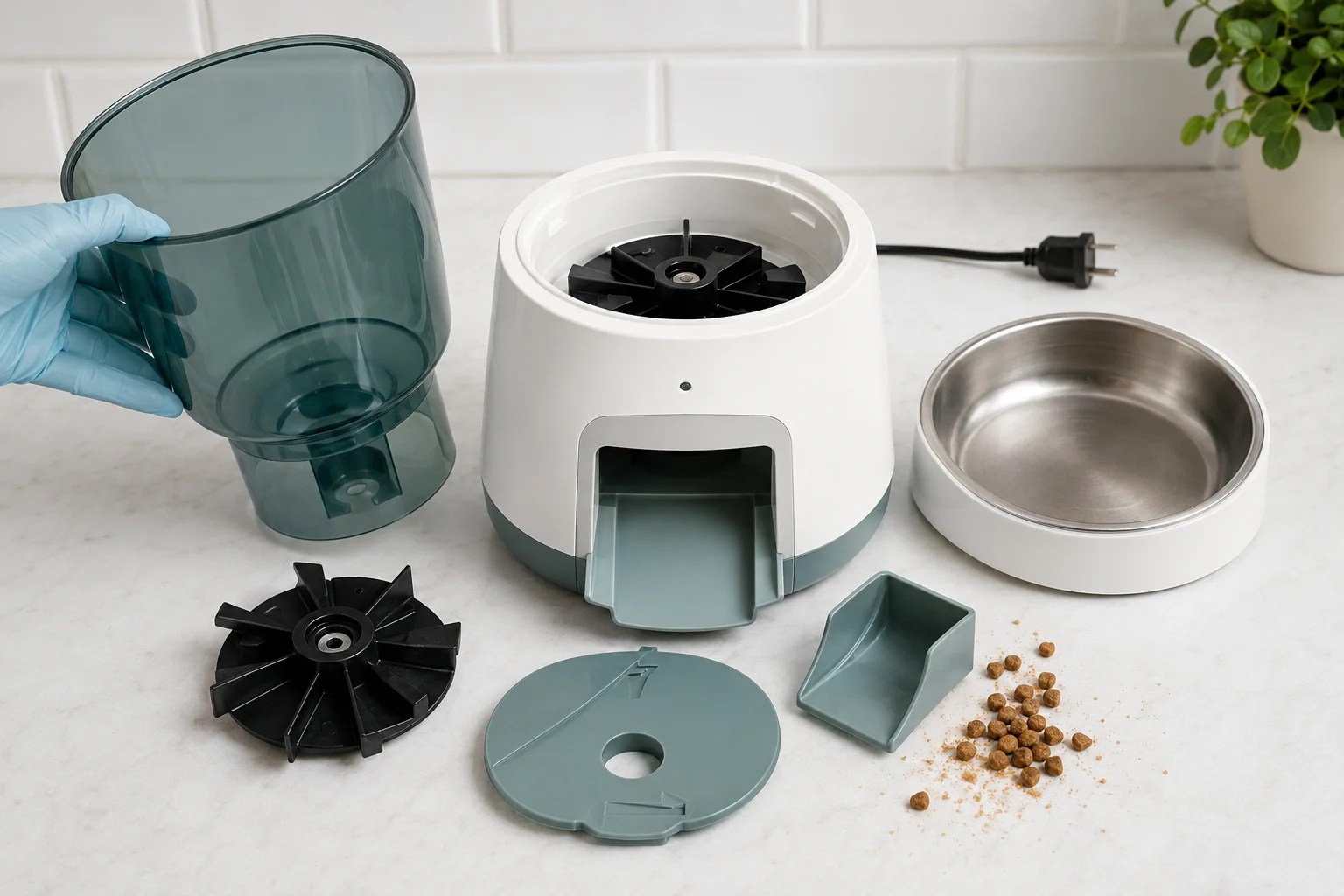
PetSafe’s Smart Feed cleaning instructions say to wash only the removed components with warm soapy water, rinse them well, and dry them thoroughly before reassembly. Do not immerse an electronic feeder base unless the manufacturer explicitly says that it is washable. For routine maintenance, see our guide to how often you should clean an automatic cat feeder.
4. Check that the hopper and rotor are seated correctly
A feeder may power on normally even when the tank base, rotor cover, silicone vane, or hopper is not fully locked into position. This is especially likely after cleaning.
Remove and reinstall only the user-removable components described in the manual. Do not force a part that does not align, and do not operate the feeder with a safety cover removed.
5. Prime the feeder if your model requires it
Some feeders need to be primed after the hopper is filled or reassembled. PetSafe notes that an unprimed Healthy Pet Simply Feed may dispense less food than programmed or no food at all. Follow the model’s documented priming procedure.
If the Motor Does Not Run
1. Verify the complete power path
A working display does not always prove that the feeder can complete a dispensing cycle. Check:
- the wall outlet with another device;
- both ends of the power cord;
- the feeder’s power switch, if it has one;
- the condition and orientation of backup batteries;
- low-battery or power error indicators; and
- the adapter specification required by the model.
Use the supplied adapter and cable, or an officially approved replacement. An adapter that physically fits is not necessarily electrically compatible.
2. Unlock the controls and check pause mode
Some feeders ignore panel input while a child lock or pet lock is active. Others include a pause function that stops dispensing while preserving the schedule. PetSafe’s Healthy Pet Simply Feed, for example, includes a Pause Feed feature.
Look for a lock symbol, pause indicator, disabled-meal icon, or model-specific status light before assuming the motor has failed.
3. Read the error code before resetting
Error codes may indicate an empty tank, blocked outlet, motor or sensor problem, or incorrectly installed component. Record the code before changing settings. A factory reset can erase Wi-Fi credentials and schedules, so use it only after checking the official instructions.
4. Stop if the motor or gear appears damaged
If the rotor still does not move with correct power, unlocked controls, and a clear mechanism, the feeder may have an internal motor, gear, sensor, or control-board fault. Stop repeatedly activating it if you hear grinding, smell overheating, see damaged wiring, or notice heat or deformation.
Do not open a sealed electrical base. Contact the manufacturer with the model number, serial number, error code, and a short video of the failed test.
If Manual Feeding Works but Scheduled Meals Do Not
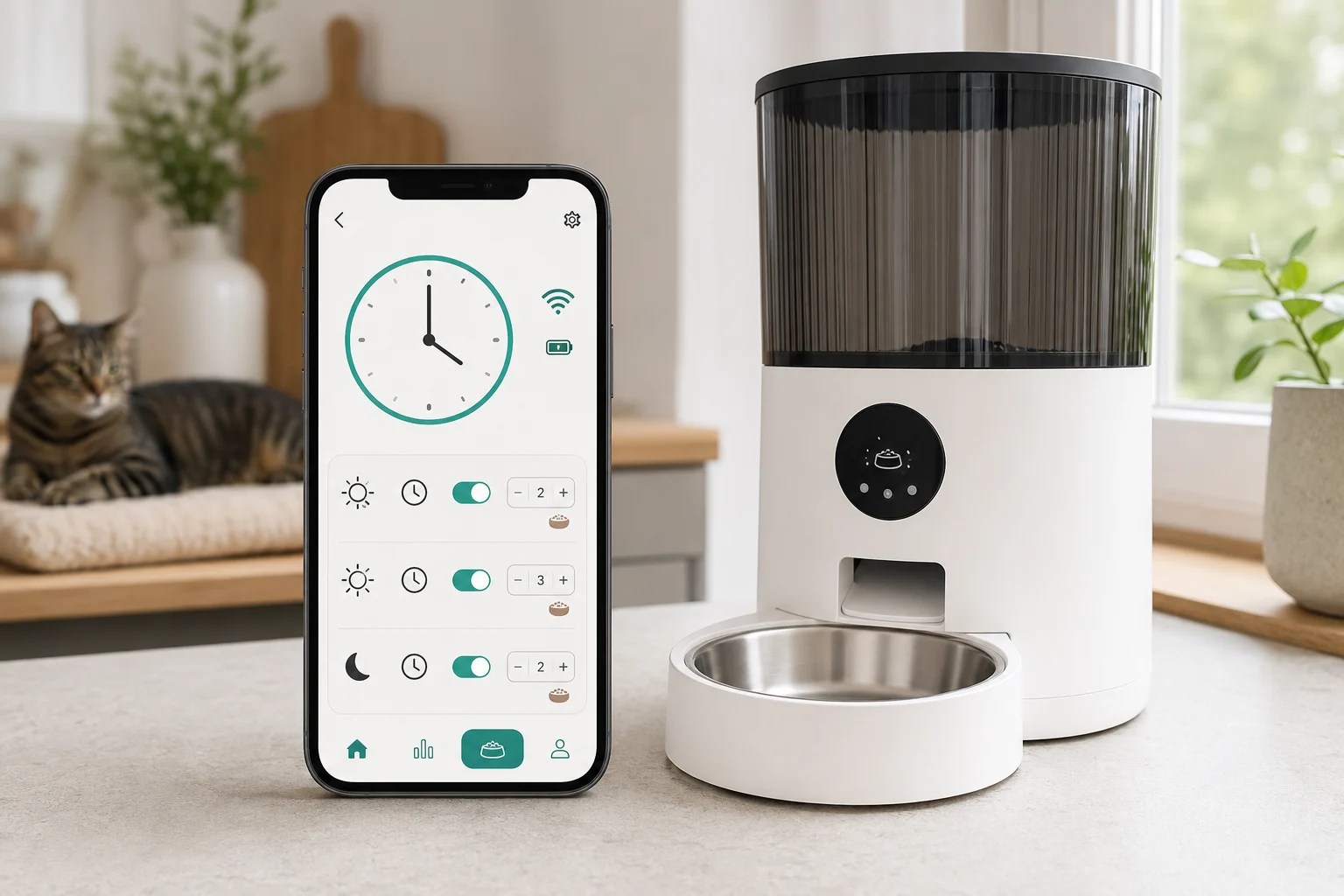
A successful manual-feed test makes a complete motor failure less likely. Focus next on the feeder’s clock and meal program.
Check the device clock, time zone, and AM/PM
Confirm that the feeder or app matches the local time, including AM versus PM and the time zone. PetSafe states that its Six Meal Feeder does not adjust itself for daylight saving time, so manually set clocks may need seasonal correction.
Confirm that the meal is enabled and greater than zero
Review every scheduled meal and verify:
- the meal is enabled;
- the selected days are correct;
- the portion is not set to zero;
- the schedule was saved or synchronized; and
- pause, vacation, or do-not-feed mode is not active.
PETLIBRO’s Easy Feed support instructions specifically tell users to check whether the schedule is correct and whether its scheduled portion is set to zero.
Separate a Wi-Fi problem from a dispensing problem
A feeder appearing offline in its app does not automatically mean that stored meals have stopped. PetSafe states that its Smart Feed continues feeding as scheduled while offline but does not send notifications. Other models may behave differently.
Test the physical manual-feed control and watch the next scheduled meal in person. That tells you more than the app status alone.
When to Reset the Feeder or Contact Support
Consider a manufacturer-approved reboot or reset only after confirming that:
- the feeder has reliable power;
- the outlet and rotor are clear;
- the hopper and moving parts are installed correctly;
- the control panel is unlocked;
- manual dispensing has been tested; and
- you have recorded the schedule and error code.
A reboot and factory reset may not be the same. PetSafe explains that a Smart Feed reboot attempts to reconnect while saving programmed meals and settings. Follow the instructions for your exact model.
Stop troubleshooting and contact the manufacturer when:
- the motor does not move after power and lock checks;
- the same jam returns with compatible, dry kibble;
- a rotor, vane, gear, cable, or housing appears damaged;
- the feeder becomes unusually hot or smells burnt;
- an error code remains after the documented procedure;
- the feeder dispenses unpredictably after schedules are verified; or
- repair would require opening a sealed electrical base.
Provide the exact model number. Product names are often reused across generations, and the correct procedure, kibble range, error codes, and replacement parts may differ.
How to Reduce the Risk of Another Missed Meal
- Test several complete scheduled cycles before relying on a new feeder.
- Use only a food type and kibble size approved for the exact model.
- Keep the hopper, outlet, rotor, and sensors clean and completely dry.
- Check the food level rather than relying only on an app alert.
- Test backup batteries under a real dispensing load.
- Review the clock after power loss, battery replacement, travel, or daylight saving time changes.
- Arrange a person to check your cat during longer absences; a feeder should not be the only safety layer.
Frequently Asked Questions
Why did my automatic cat feeder suddenly stop dispensing?
Start with a manual-feed test. A sudden failure can come from bridged or jammed kibble, an empty hopper, lost power, active control lock, paused schedule, or a mechanical fault. The test helps separate a food-flow problem from a power or programming problem.
Why is my automatic cat feeder making noise but not dispensing food?
The motor may be turning against jammed or incompatible kibble, or the rotor may be incorrectly installed. Stop repeated tests if you hear grinding or struggling. Disconnect power, empty the hopper, and follow the model-specific instructions for inspecting the outlet and rotor.
Can large kibble jam an automatic feeder?
Yes. Kibble that is larger than the model’s documented range—or irregular in shape—may block the outlet or prevent consistent portions. Check the specification for the exact model instead of relying on a universal size recommendation.
Why does Feed Now work but my schedule does not?
If manual dispensing works, check the feeder clock, time zone, AM/PM setting, selected days, scheduled portion, and whether the meal is enabled and saved. Also check for pause or vacation mode.
Can a Wi-Fi outage stop my cat feeder from dispensing?
It depends on the model. Some feeders continue using schedules stored inside the device while app controls and notifications stop. Others may depend more heavily on a connection during setup or synchronization. Check the official support documentation and test the behavior before relying on it.
Should I lubricate a stuck feeder motor or gear?
Do not apply oil, grease, or spray unless the manufacturer specifically instructs you to use a named product in a named location. Lubricants can contaminate food-contact areas, damage plastics, or hide an internal fault.
How do I know whether my cat actually missed a meal?
Check the bowl, hopper level, feeding log, and—if available—camera footage. A successful dispense notification confirms only what the system detected; it does not necessarily prove that the expected amount reached the bowl or that your cat ate it.
Official Sources Reviewed
- PETLIBRO: Essential Feeder does not dispense food
- PETLIBRO: Easy Feed not dispensing as scheduled
- PETLIBRO: Granary powers on but does not dispense
- PETLIBRO: Space Smart Feeder does not dispense
- WOPET: Cube Air WiFi Automatic Pet Feeder user guide
- PetSafe: Healthy Pet Simply Feed dispensing amount
- PetSafe: Six Meal Feeder troubleshooting
- PetSafe: Smart Feed disassembly and cleaning
- PetSafe: Smart Feed offline troubleshooting
- VCA Animal Hospitals: Recognizing signs of illness in cats
- Cornell Feline Health Center: Hepatic lipidosis
If food comes out but the amount is inconsistent, check your feeder’s portion accuracy.